One antenna can serve more than one television, but how to split antenna signal successfully depends on more than attaching a cheap splitter and hoping for the best. Every additional TV creates signal loss. In a strong reception area, that loss may be barely noticeable. In a home farther from local broadcast towers, it can mean pixelation, missing channels, or a picture that disappears when the weather changes.
The goal is simple: get dependable local HD channels at every TV while keeping the system clean, properly matched, and easy to use. With the right splitter, cable, and signal planning, a single professionally installed antenna can be a practical way to cut the cord without limiting where your family watches.
Start With the Signal You Actually Have
An antenna does not produce an unlimited supply of television signal. It receives broadcast signals from local towers, and the strength of those signals varies by location, terrain, antenna height, tower distance, and the channels available in your market.
Before splitting anything, make sure the antenna performs well on one TV. Run a channel scan and watch the channels your household cares about most, especially local network affiliates, live sports, weather, and news. If reception is already inconsistent at one television, adding a splitter will not solve the problem. It will usually make the weak channels less reliable.
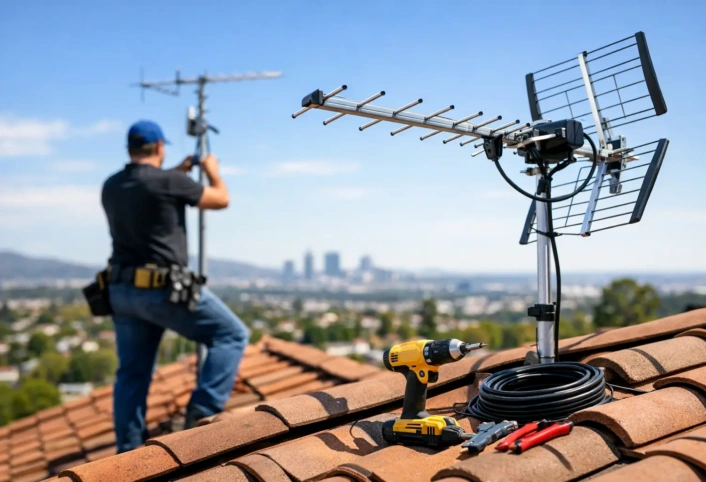
This is where antenna placement matters. An outdoor antenna mounted at the right height often provides more dependable reception than an indoor model near a window. The best setup depends on your home and local broadcast conditions. Some households have strong signals in nearly every direction, while others need a more precise antenna type and placement to receive the same stations consistently.
How to Split Antenna Signal Without Losing Channels
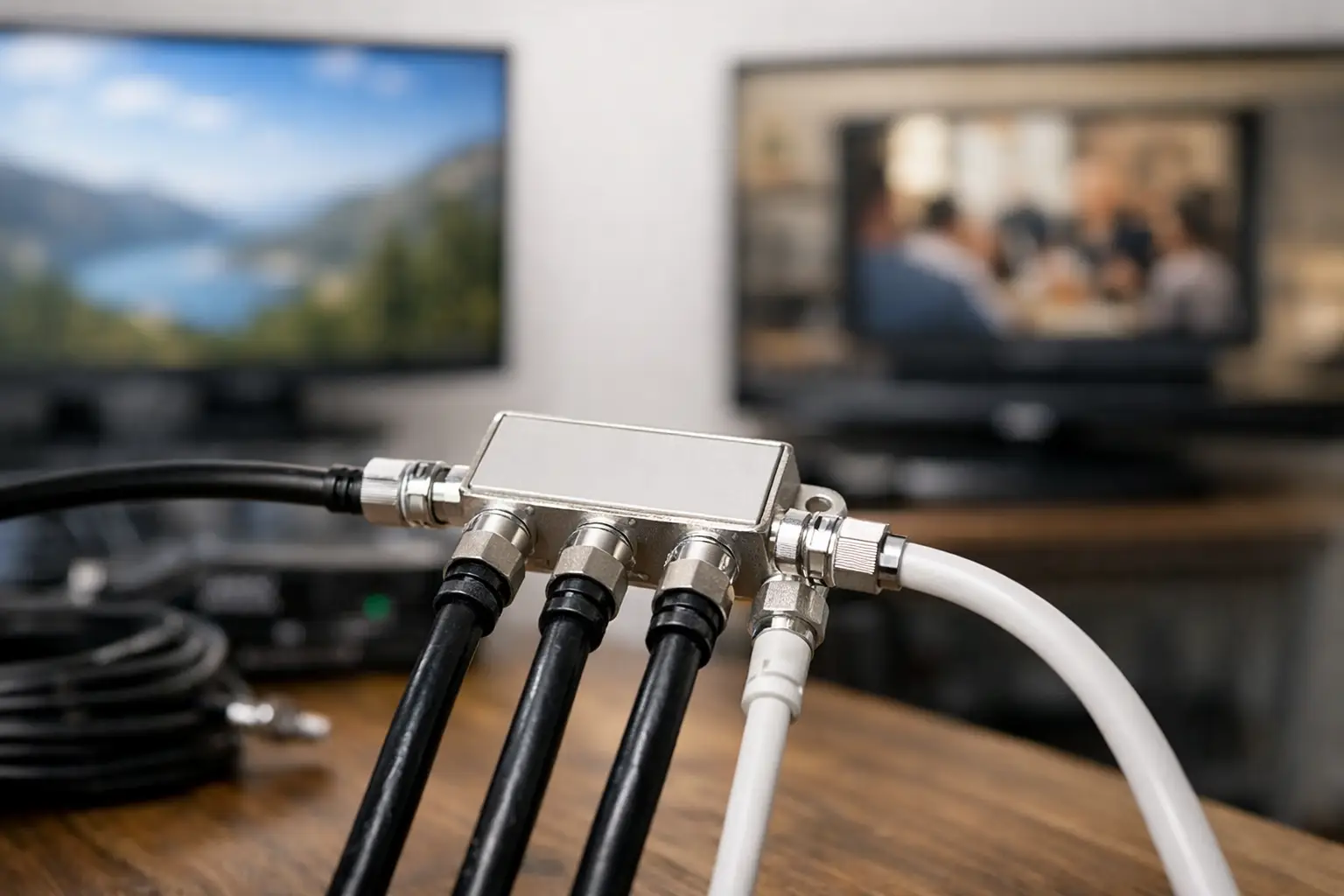
A coaxial splitter divides one incoming antenna feed into two, three, four, or more outgoing feeds. The number of outputs should match the number of televisions you plan to connect. For example, use a two-way splitter for two TVs and a four-way splitter for up to four TVs.
Avoid using multiple splitters in a chain whenever possible. A two-way splitter feeding another two-way splitter may technically reach three TVs, but it adds extra connection points and unnecessary loss. A single quality splitter with the correct number of outputs is usually the better choice.
Every split reduces the signal level. A typical two-way splitter loses roughly 3.5 decibels on each output. A four-way splitter loses more, often around 7 decibels per output. That is normal physics, not a sign that the splitter is defective. The question is whether your original signal has enough margin to absorb that loss and still deliver stable reception.
Use a splitter rated for over-the-air television frequencies, commonly labeled for 5-1000 MHz or higher. It should have all ports properly terminated or connected. An unused open port can allow interference into the system, so cap it with a 75-ohm terminator if it will not be used.
Choose the Right Coaxial Cable
The cable between the antenna, splitter, and televisions matters more than many homeowners expect. RG6 coaxial cable is the preferred choice for most residential antenna installations. It carries over-the-air signals with less loss than older RG59 cable and provides better protection from interference.
Keep cable runs as short and direct as practical. A long run through an attic, basement, or exterior wall can reduce signal strength, particularly after the signal has already been divided. Replace corroded connectors, crushed cable, loose fittings, and questionable wall plates. A small problem at a connection can affect an entire system.
If the antenna is outdoors, weatherproofing is equally important. Water entering a coax connector can create intermittent reception issues that are frustrating to diagnose. The TV may work perfectly one day and lose channels after rain or humidity the next.
When You Need an Antenna Distribution Amplifier
An amplifier can help when a strong, clean signal must travel through a splitter and longer cable runs. The right device for this job is often a distribution amplifier, which is designed to send signal to multiple TVs while compensating for splitter loss.
A distribution amplifier is not automatically needed for every home. If your antenna receives channels clearly and the cable runs are short, a standard passive splitter may be all you need. Adding amplification where it is not needed can overload strong signals and create the same reception problems you were trying to avoid.
The best use case is a home with several TVs, long cable routes, or a reception location where the antenna works well at one TV but loses certain channels after splitting. In those situations, a properly selected amplifier can restore enough signal margin for steady viewing throughout the house.
A preamplifier is different. It mounts close to the antenna and boosts the signal before it travels down the coaxial cable. This can be useful when the incoming signal is weak and the cable run is long. However, it must be chosen carefully. Amplifying noise, interference, or an overloaded signal will not improve the picture.
A Practical Setup for Multiple TVs
The basic path is antenna to coaxial cable, then splitter or distribution amplifier, then separate cable lines to each television. If a TV has a built-in tuner, connect the coaxial line to its Antenna In or RF input and run a channel scan using the antenna or air setting. Do not select cable during the scan, or the TV may not locate the available broadcast channels.
If you use a streaming device, smart TV, or external receiver, remember that those devices do not replace the TV tuner for antenna channels. The antenna cable still needs to connect to the television’s tuner input, or to a compatible over-the-air tuner or DVR.
When connecting multiple TVs, test one location at a time. Start at the strongest or shortest cable run, scan for channels, then move through the remaining televisions. This method makes it easier to identify whether a problem is related to the splitter, a particular cable run, a connector, or the antenna signal itself.
Common Problems After Splitting an Antenna Feed
If channels disappear after adding a splitter, first confirm that the splitter is rated for antenna use and that every coax connector is tight. Then test the antenna directly at one TV again. If the signal returns when the splitter is removed, splitter loss or a bad component is likely the issue.
Pixelation that affects only one TV usually points to that television’s cable run, connector, wall plate, or tuner rather than the antenna itself. Pixelation on every TV often suggests an antenna alignment issue, weather-related interference, a damaged outdoor connection, or a system-wide signal problem.
Do not assume more amplification is the answer. Excessive signal can overload a tuner just as weak signal can cause dropouts. A trained technician can measure the signal and determine whether your home needs a different antenna location, a distribution amplifier, cleaner wiring, or no amplifier at all.
Can You Use Existing Cable TV Wiring?
Often, yes. Existing coaxial wiring can be used for an antenna system if the cable is in good condition and the old cable-company components are removed or bypassed. Satellite and cable installations may include splitters, amplifiers, filters, or lines that are not appropriate for over-the-air reception.
A professional inspection can identify which lines are usable and whether the wiring layout creates unnecessary loss. This is especially helpful in larger homes, homes with structured wiring panels, or properties where several previous TV services have left behind a confusing network of cables.
Get Reliable TV in Every Room
Splitting an antenna signal is a smart way to bring free local broadcast television to bedrooms, living rooms, kitchens, and other spaces without adding monthly receiver fees. But reliable multi-TV reception starts with a strong antenna signal, uses the correct distribution equipment, and accounts for the limits of each home’s wiring.
If you want local channels working consistently throughout the house, Antenna Master can evaluate the reception conditions, antenna placement, and wiring plan before small signal losses become daily viewing problems. A properly designed system lets your household enjoy the channels you want in the rooms where you watch them – and makes cutting the cord feel like an upgrade, not a compromise.